 Traffic Window
Connect your sites to Traffic Window
Traffic Window reads your numbers from Google Analytics using a read-only helper account. You give that helper "Viewer" access to each site, the same way you'd add a colleague. It takes about five minutes for the first site and one minute for each one after.
Before you start
You'll need:
- Your website using Google Analytics 4. If you can sign in at analytics.google.com and see your visitors, you're set.
- To be an Administrator of that site in Google Analytics, so you can add a user.
- Your Traffic Window account open in another tab.
Connect a site
Copy your Traffic Window email
In Traffic Window, open Settings. Your connect email is at the top with a Copy button. It looks like this:
Open Google Analytics
Go to analytics.google.com and choose your site from the menu at the top left.
Go to Property access management
Click Admin (the gear at the bottom left). Under Property settings, click Property access management.
Add Traffic Window as a Viewer
Click the blue + at the top right, then Add users. Paste the email from step 1. Set the role to Viewer, untick Notify new users by email, and click Add.
Copy the property ID
Still in Admin, click Property details. The Property ID is the number at the top right. Copy it. Not sure which number?
Add the site in Traffic Window
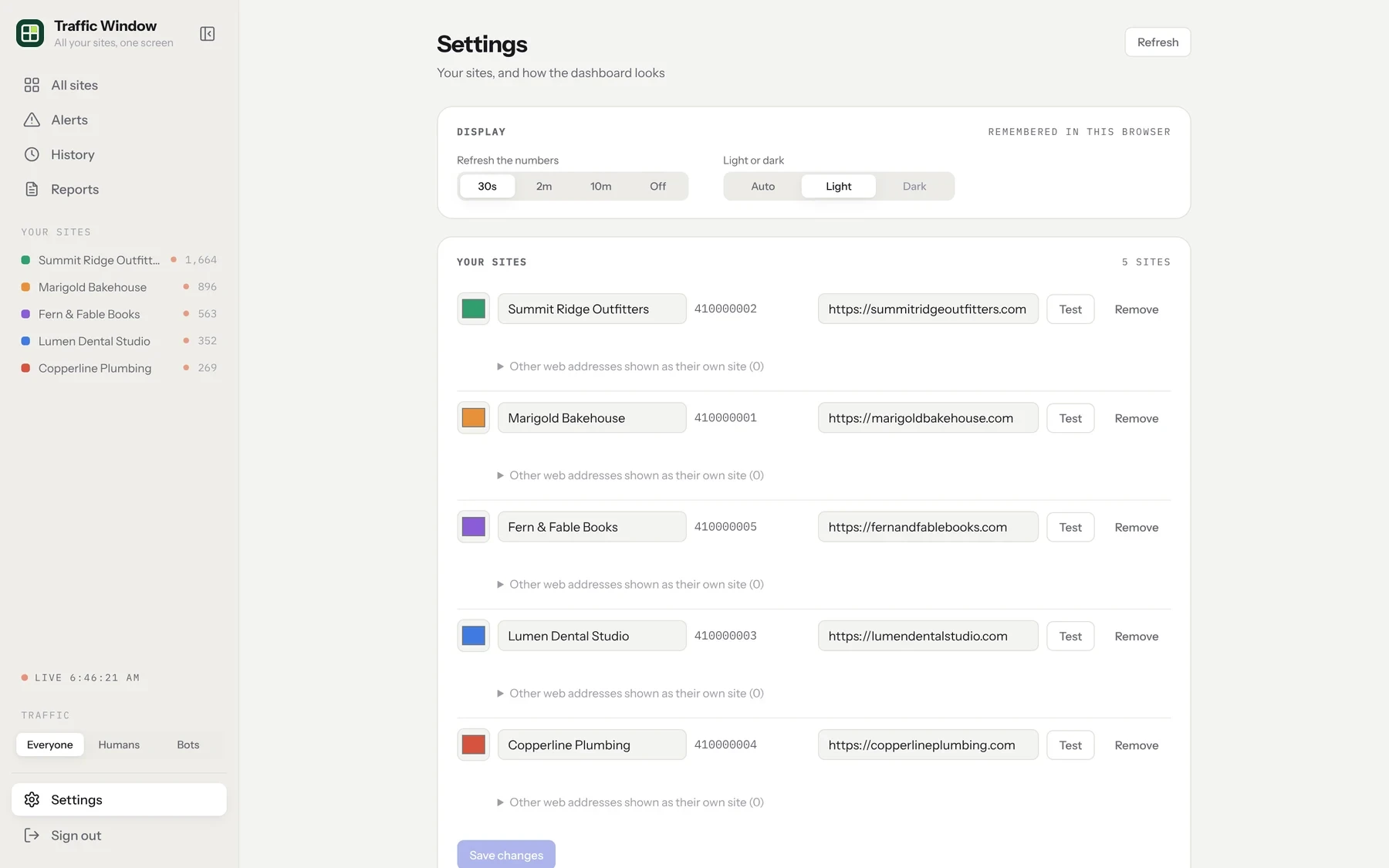
Back in Traffic Window's Settings, click Add a site. Give it a name, paste the property ID and its web address, then click Test. A green tick means it worked. Click Save changes.
That's it
Live visitors appear within a minute. The week, month and year numbers come straight from Google, so they're there right away. Traffic Window's own daily history starts filling in from tomorrow.
Finding the property ID
Google shows two different codes, and only one of them works here.
More than one web address
If one Google Analytics property covers several addresses, such as shop.example.com and blog.example.com, add the property once. Then open Other web addresses shown as their own site under it in Settings and add each address. Each one shows as its own site, and the main site leaves them out so nobody is counted twice. Each address counts toward your plan's number of sites.
Send clients a report
Every site gets a 3-page summary report: the main numbers against the period before, visitors over time, top pages, where visitors came from and how each channel did.
See a report now
Open Reports in the menu. Under Make a report, pick the site and how far back it should cover (yesterday, 7, 30 or 90 days, or 12 months), then click Open the report. It opens in a new tab; click Save as PDF to keep a copy or print it.
Schedule it
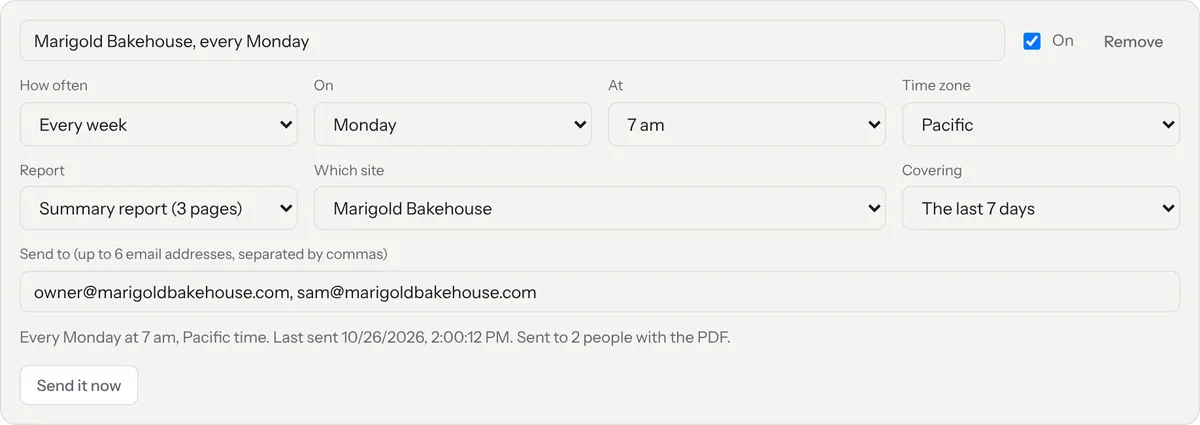
Under Report scheduler, click Add a scheduled report. Choose how often (every day, every week on a day, or every month on a date), the time and time zone, and the site.
Add who gets it
Type up to six email addresses, separated by commas. They can be anyone: your client, their staff or yourself. Click Save changes, then Send it now to check how it arrives.
Set up white label
With the white label add-on, Traffic Window runs on your own domain under your own name. You need a domain you own and access to its DNS settings (where you bought the domain, or your web host).
Choose your web address
In Settings, open White label and type the address you want, such as stats.yourstudio.com.
Add one DNS record
Traffic Window shows you a single record to add at your domain company. It looks like this:
Click Check. Most domain companies take a few minutes; some take up to an hour. The security certificate (the padlock) is set up for you.
Add your logo and colours
Upload your logo, pick your main colour and write the line you want at the foot of every report and email. The preview shows the dashboard, a report page and an email as your clients will see them.
Send from your name
Enter the name and reply-to address for report emails, such as "Northbeam Studio" and hello@yourstudio.com. Clients who reply reach you directly.
If something goes wrong
Is it safe?
Yes. "Viewer" is Google's lowest level of access. Traffic Window can read visitor numbers for the sites you add and nothing else. It can't change your settings, see your other Google services, or touch your website. To disconnect, remove the email under Property access management, and Traffic Window loses access straight away.